

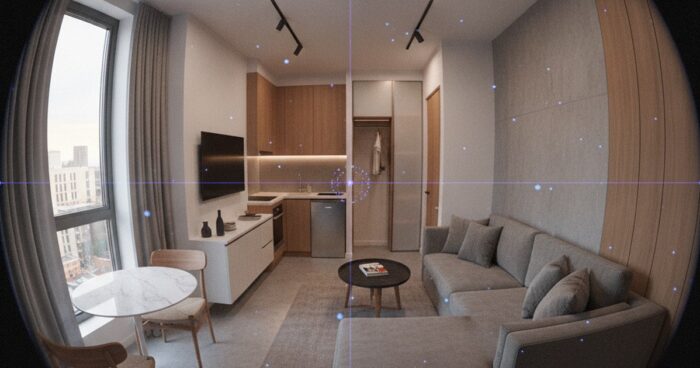
Matterport for studios and small spaces: how to show space profitably
Home buyers and renters often face the challenge of estimating the size and layout of a space from photographs. This is especially true for studios and small apartments, where every square meter counts. To showcase a space to your advantage and give potential buyers or tenants a complete picture of the property, you can use Matterport technology. What is Matterport? Matterport is a 3D virtual tour technology that allows users to tour properties in real time. With Matterport, you can create a detailed and interactive model of a room, including everything from the layout to the texture of the walls and flooring. This technology is especially useful for studios and small apartments, as it allows potential buyers or renters to evaluate the size and layout of the space, and see how the available space can be used. Benefits of Matterport for Studios and Small Apartments There are several benefits to using Matterport for studios and small apartments: Increased engagement with potential buyers or tenants: 3D Virtual Tours allow users to explore a property in real time, increasing their engagement and interest in the property. Reduce viewings: Matterport allows potential buyers or renters to evaluate a property remotely, reducing viewings and saving time. Improved understanding of layout and dimensions: 3D virtual tours provide an accurate understanding of the layout and dimensions of a property, which helps potential buyers or tenants evaluate a property more accurately. How to Create a 3D Virtual Tour Using Matterport Creating a 3D virtual tour using Matterport is a relatively simple process. To do this, you need to: Gather the necessary equipment: To create a 3D virtual tour, you need special equipment, such as a Matterport Pro or Pro2 camera. Take photos and scan the space: The Matterport camera takes photos and scans the space, creating a detailed and accurate model of the room. Process and mount data: The received data is processed and edited in Matterport software, creating a 3D virtual tour. Tips for Creating an Effective 3D Virtual Tour To create an effective 3D virtual tour, you need to follow beberapa's tips: Make sure the property is clean and ready to shoot: Make sure the property is clean and ready to shoot to get the best results. Use good lighting: Good lighting can greatly improve the quality of your 3D virtual tour. Take multiple photos from different angles: Take multiple photos from different angles to give potential buyers or renters a complete picture of the property. Examples of successful use of Matterport Matterport is already used by many companies and individuals to display properties. For example, 360° Space has created 3D virtual tours for many properties, including studios and small apartments. See all projects → If you are interested in creating a 3D virtual tour for your property, we recommend that you contact a professional. Our company offers services for creating 3D virtual tours using Matterport. Check out our projects and contact us to find out more about our services. Calculate costProject catalogMatterport